
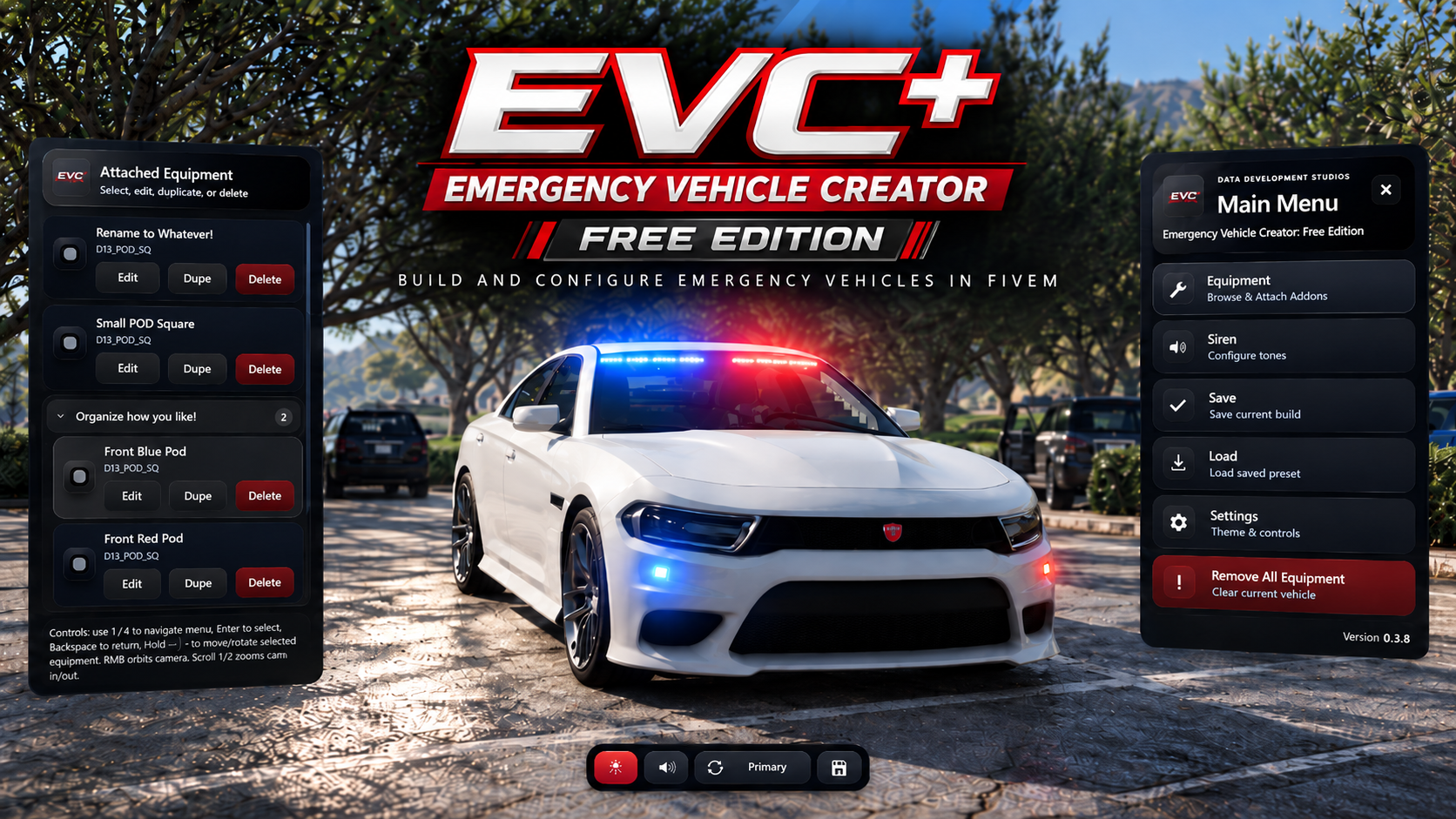
[D3lta Development Studios] Emergency Vehicle Creator+: Free Edition
This script allows players to create emergency vehicles while in-server. You can place, edit, save, and load Authorized EVC Addon Equipment without needing to know how to model! Equipment can be moved, rotated, duplicated, deleted, organized into categories, and configured with patterns, liveries, animations, and siren options if supported.
Features:
-
Open Menu: /evc
-
Supports: QB-Core | QBox | ESX | Standalone
-
All Official Addons / Equipment are already pre-configured and ready to use
-
Multiple Languages Supported [English (Default), Spanish, Chinese, Japanese, German, Turkish and French]
- View and manage all equipment attached to the your vehicle
- Select, edit, duplicate, rename, delete, and organize attached equipment
- Create custom equipment categories in the attached equipment list
- Custom Equipment Placement
- Bone Attachment Support
- Mirror placement from another selected equipment
- Custom Camera + Cam Controls
-
Liveries Supported
-
Animations Supported
-
Icon Images Supported
- Siren configurations (4 tone slots)
- Custom siren soundset support
- Preview siren tones in the siren setup
-
Save and Load Presets
-
Save presets by vehicle plate if enabled (Auto apllies preset)
- Delete and overwrite saved presets
- Job and admin restrictions
- Access can be set to Everyone, Admin Only, or Job Only
- ACE permissions
- QBCore & ESX support
- Passenger controls can be enabled
- UI color customization from the settings menu
- Language support included
- SQL preset saving using oxmysql
- Configurable max attachments per vehicle
- Custom UI with keyboard + mouse navigation
Commands:
- /evc | Opens the main script
Default Controls:
- Left ALT | Toggle emergency lights
- Left CTRL | Toggle siren audio
- = | Cycle siren tones
- E | Play horn tone
- - | Toggle supported equipment animations (minus key)
Menu Navigation Controls:
- Arrow Up / Arrow Down | Navigate through the menu
- Enter | Select or confirm
- Backspace | Go back
- ESC | Force Close the EVC menu
- Arrow Left / Arrow Right | Adjust selected options
- Hold Arrow Left / Arrow Right | Continue adjusting selected options
Camera Controls:
- Hold Right Mouse Button | Orbit the camera
- Mouse Wheel Up / Down | Zoom camera in or out
Important:
- This is the Free Edition of D3s Emergency Vehicle Creator+.
- This script is used to attach and configure Official EVC Addon / Equipment on ANY vehicle.
- Some features depend on the selected equipment model and how that equipment is configured.
- Livery support, animation support, patterns and accessories are only available on equipment models that support those options.
- Preset saving requires oxmysql and the included SQL table.
